Tandem

Multiplayer coding agents

One workspace for your team and its coding agents.

Work with the agent together in a shared session, or hand Tandem an idea and let it plan, build and merge the whole thing.

Source code coming soon

Sessions

Pair with the agent, as a team

A repo, a conversation with the agent, a shared terminal and a set of changes. Everyone sees the same thing as it happens.

See a session
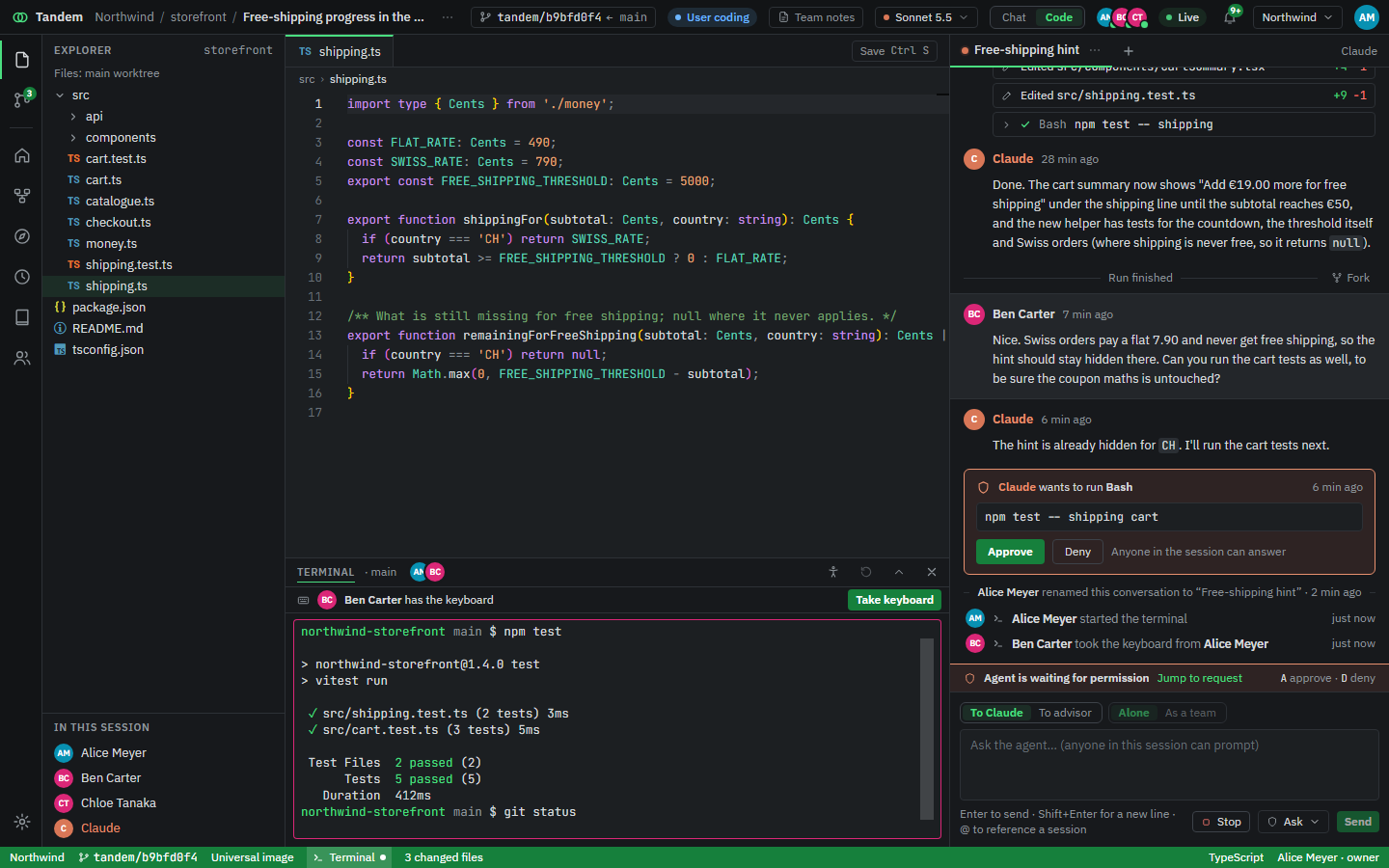
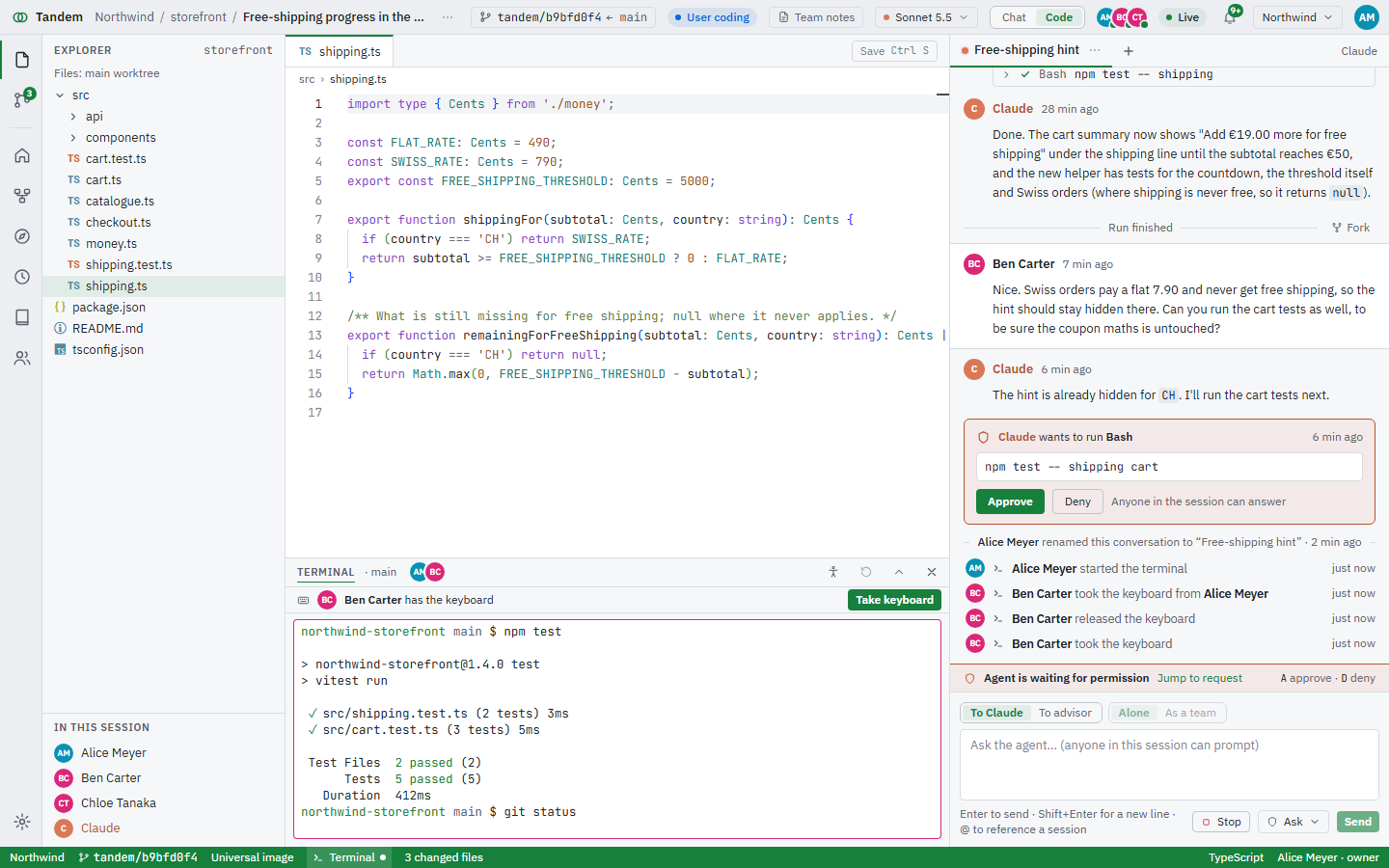
A Tandem session: file explorer, editor, a shared terminal and the conversation with the agent, with three teammates present. A Tandem session in the light theme: file explorer, editor, a shared terminal and the conversation with the agent.
Plans

From an idea to merged code

Tandem designs it with you, splits it into tasks, builds them in parallel, checks each one and merges them in order. You stay at the gates.

See how plans work
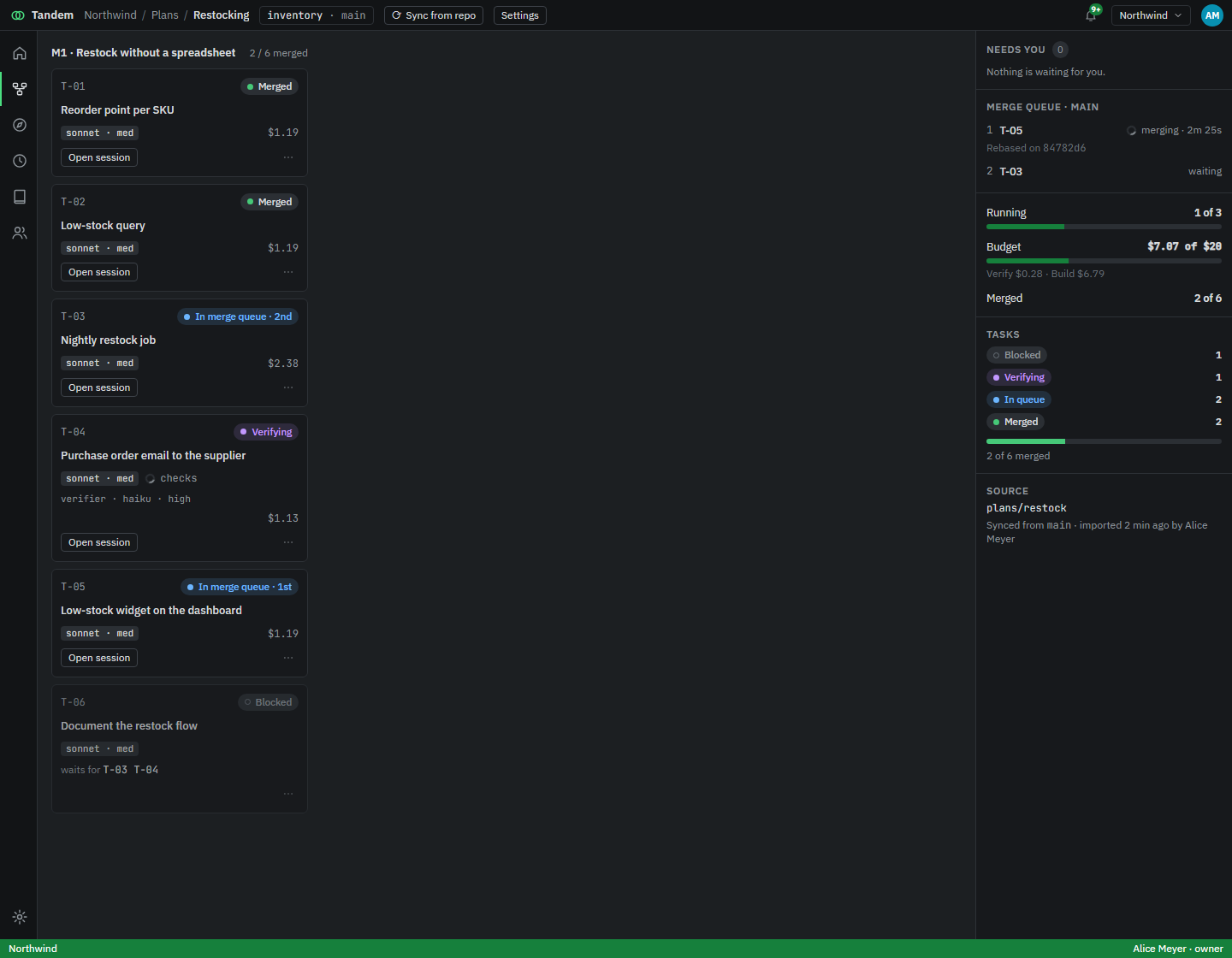
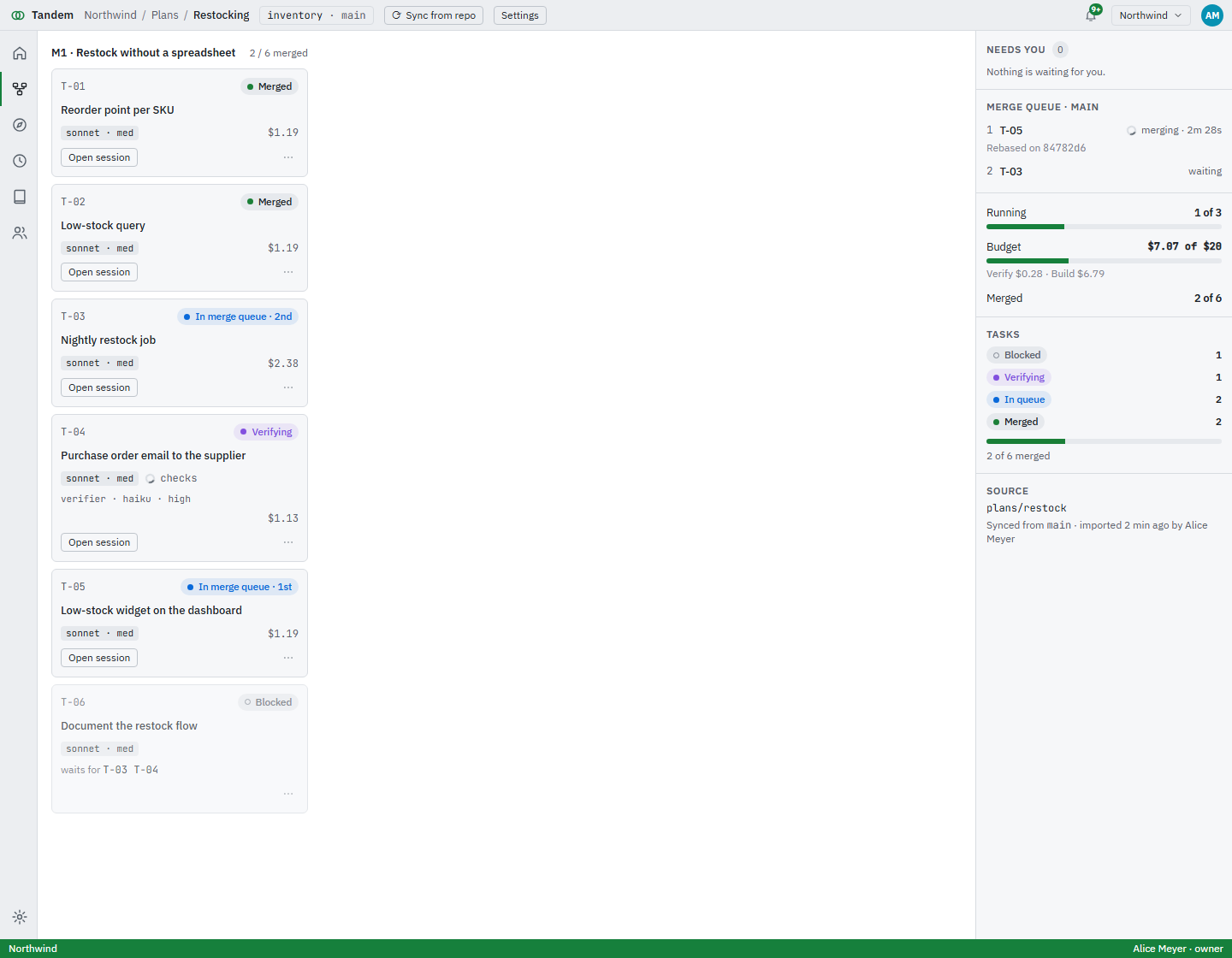
A plan mid-build: two tasks merged, two in the merge queue, one verifying, one blocked, and the budget meter. A plan's build view in the light theme.

What a session looks like

Every image here is the running app with seeded demo data, in a workspace for Northwind, a made-up web shop with four people on it. Switch the theme with the button above.

The editor, with the agent beside it

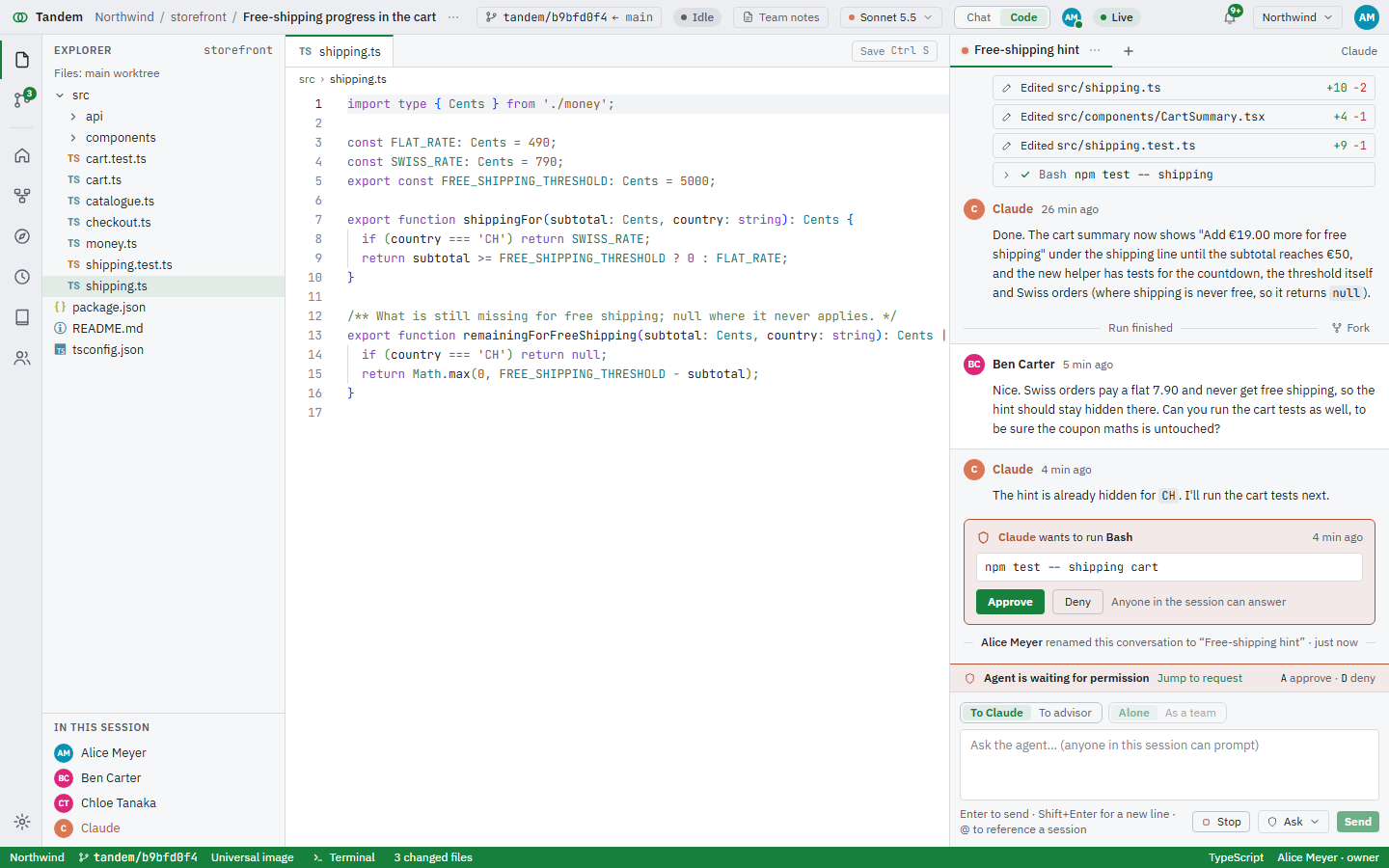
Explorer, editor and the conversation in one window. Every edit, cursor and file mark says who made it: a teammate, or Claude.
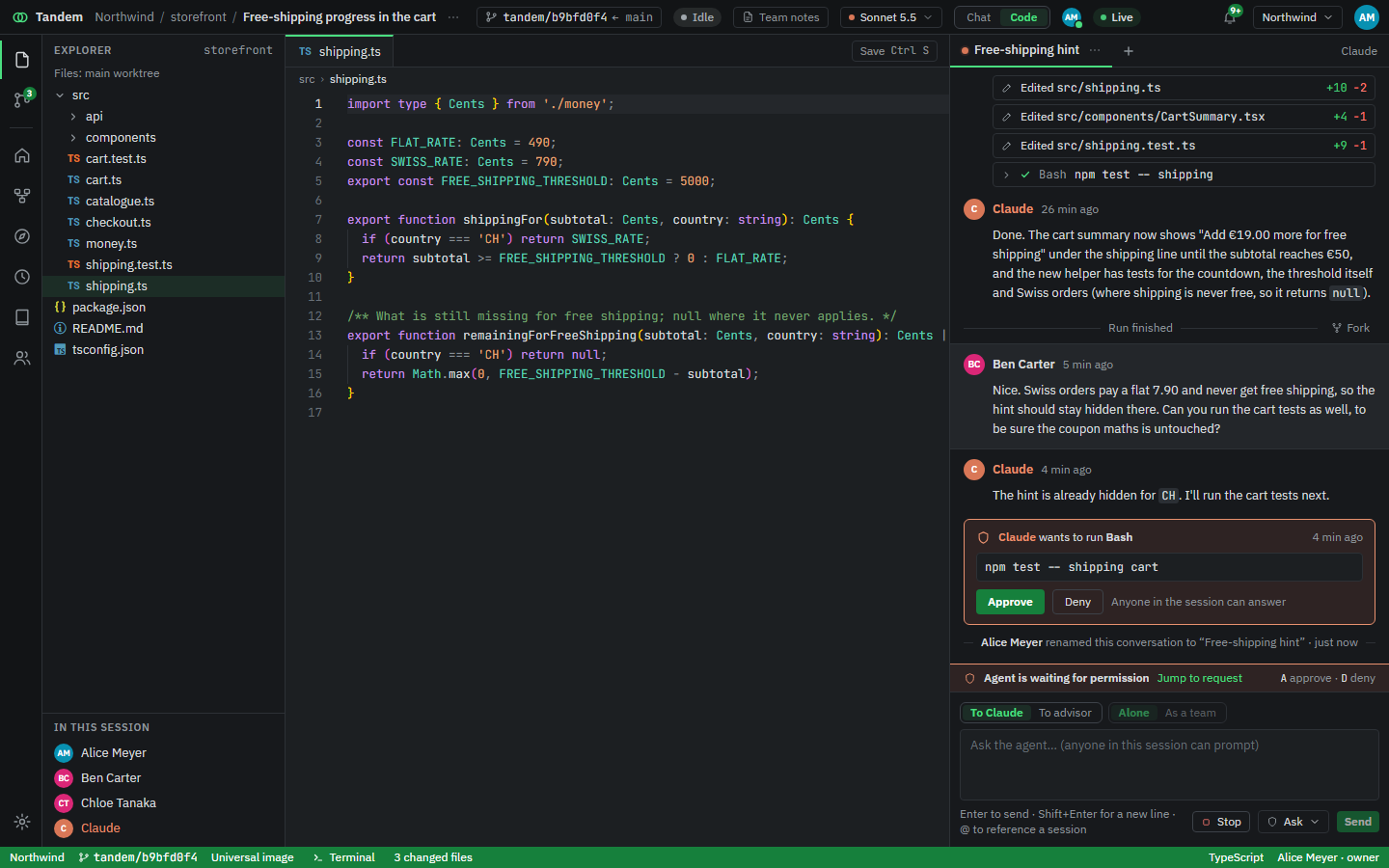
  • Edits from the agent show up in the file as they land.
  • The status bar shows the branch, the changed files and who is here.
  • Anyone in the session can answer a permission request.
The editor with src/shipping.ts open and the conversation on the right, ending in a permission request. The editor in the light theme.

Or just the conversation

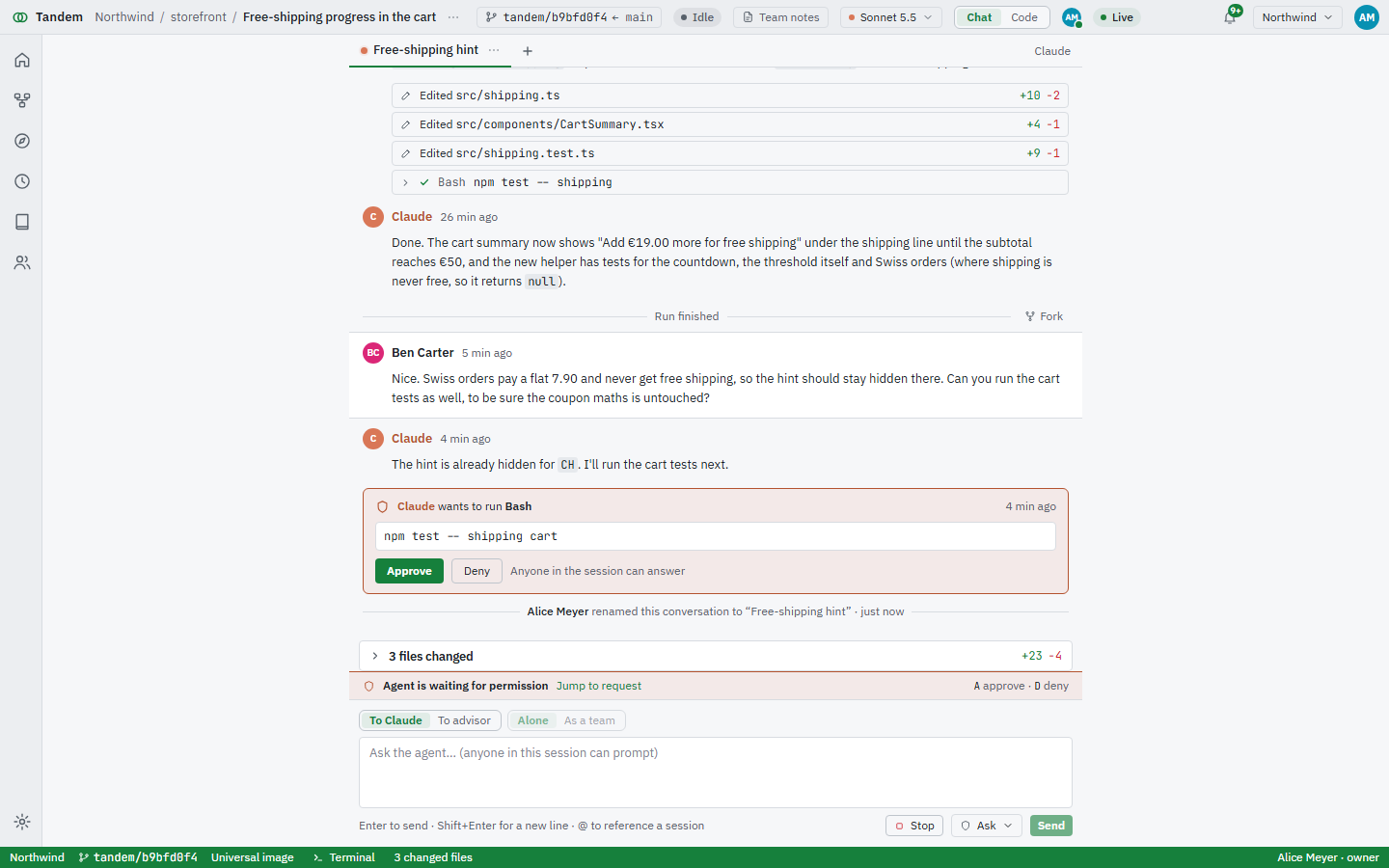
Switch to the chat-only view when you don't need the code. The history gets the width, and what needs you stays loud.
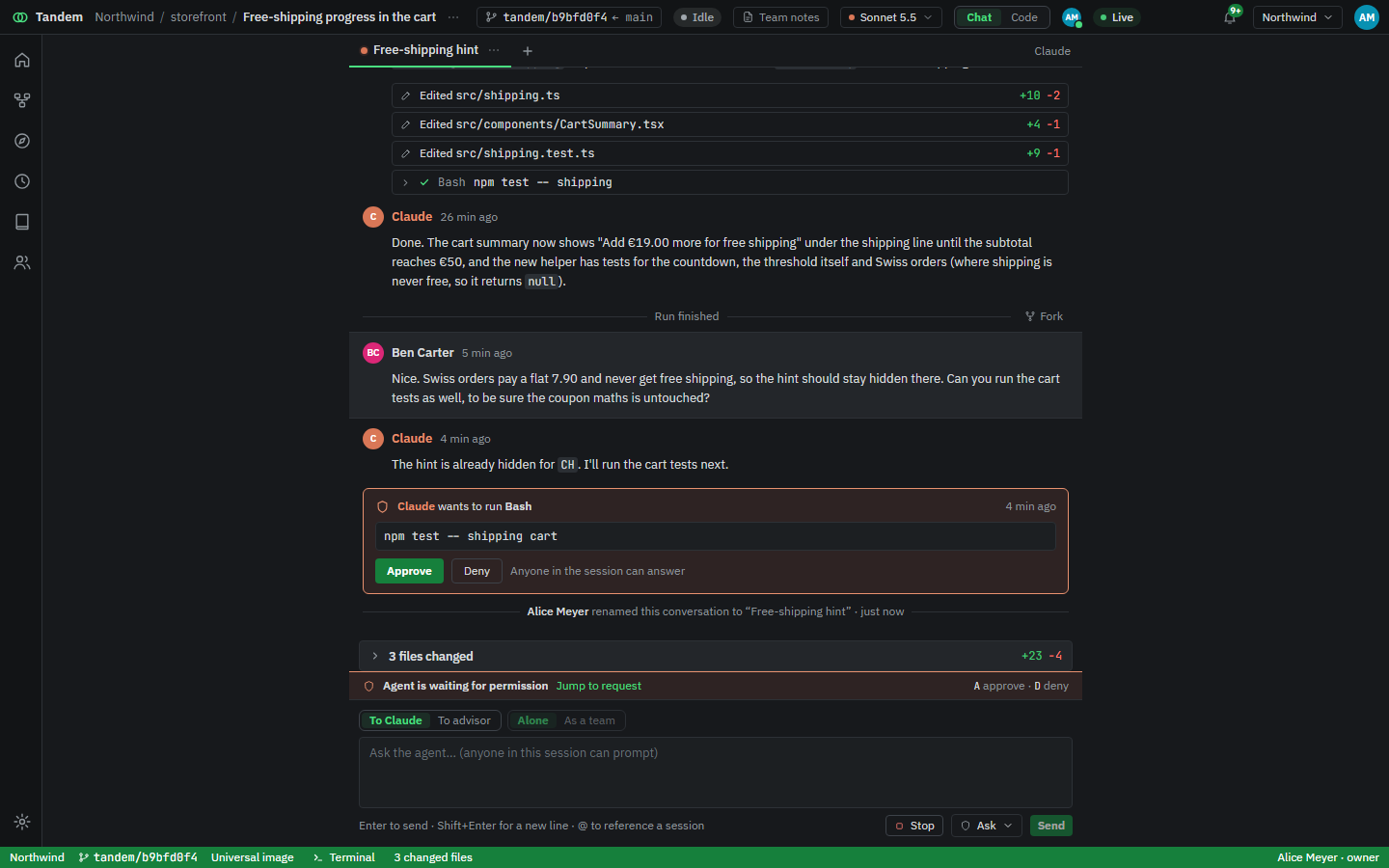
  • Tool calls fold into one line; open one to read its output.
  • Edits link to their diff, with the lines added and removed.
  • A permission request has its own clay-coloured card and answer buttons.
The chat-only view: an exchange about free shipping, a list of edited files and a pending approval. The chat-only view in the light theme.

Everyone is in the room

Teammates join a session to watch the agent work, prompt it, or take over with their own hands. Presence is live, and so is the terminal.

  • Avatars show who is in the session right now.
  • The shared terminal has one typist at a time; the bar says who.
  • Files changed from the terminal are attributed to the person who typed.
A shared terminal where Ben Carter has the keyboard, with three people present. The shared terminal in the light theme.

From edits to a pull request

The Changes view lists what changed, shows the diff and holds the commit box. Commit, push the branch and open the pull request without leaving the session.
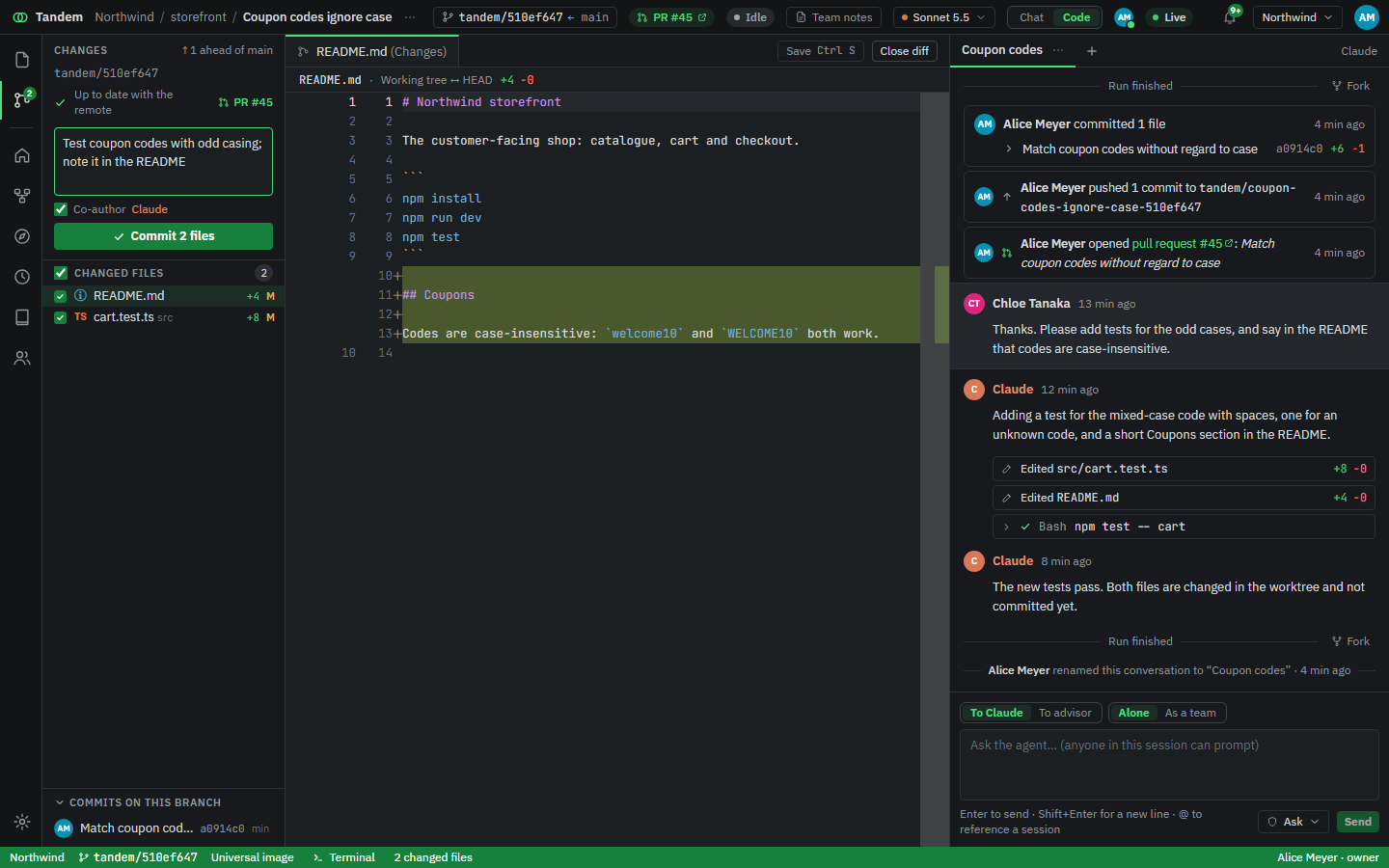
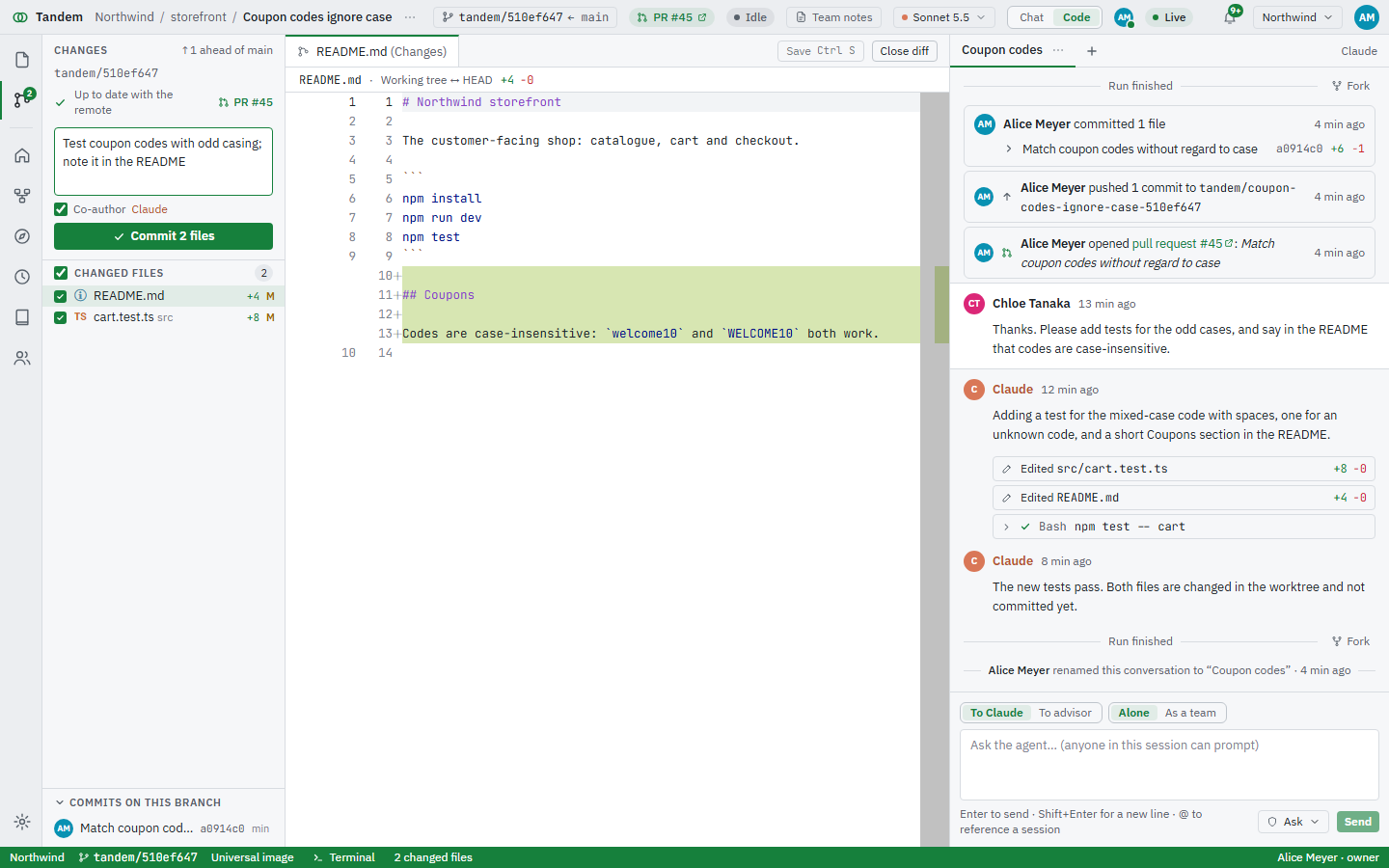
  • Pick the files for a commit; the rest stay as they are.
  • The agent is credited as co-author when it edited what you commit.
  • The pull request and its state show in the title bar.
The Changes view with two changed files, a diff of the README, a commit message and an open pull request. The Changes view in the light theme.

Every session runs in its own container

The agent runs real commands: installs, tests, your scripts. In Tandem they run in a Docker container that belongs to one session, never on the server itself.

  • Its own container. Only that session's worktrees are mounted; other sessions' files aren't there.
  • No git credentials inside. Git goes through Tandem's proxy with a session token; the repo's GitHub token never enters the container.
  • Capped, not root. An unprivileged user with 4 GB of memory and 2 CPUs, so a runaway build can't take the server down.

One prompt, several agents

Send a prompt as a team. The lead proposes subtasks and the files each one will touch; you edit the list and start them. Each subtask gets its own branch, worktree and tab.
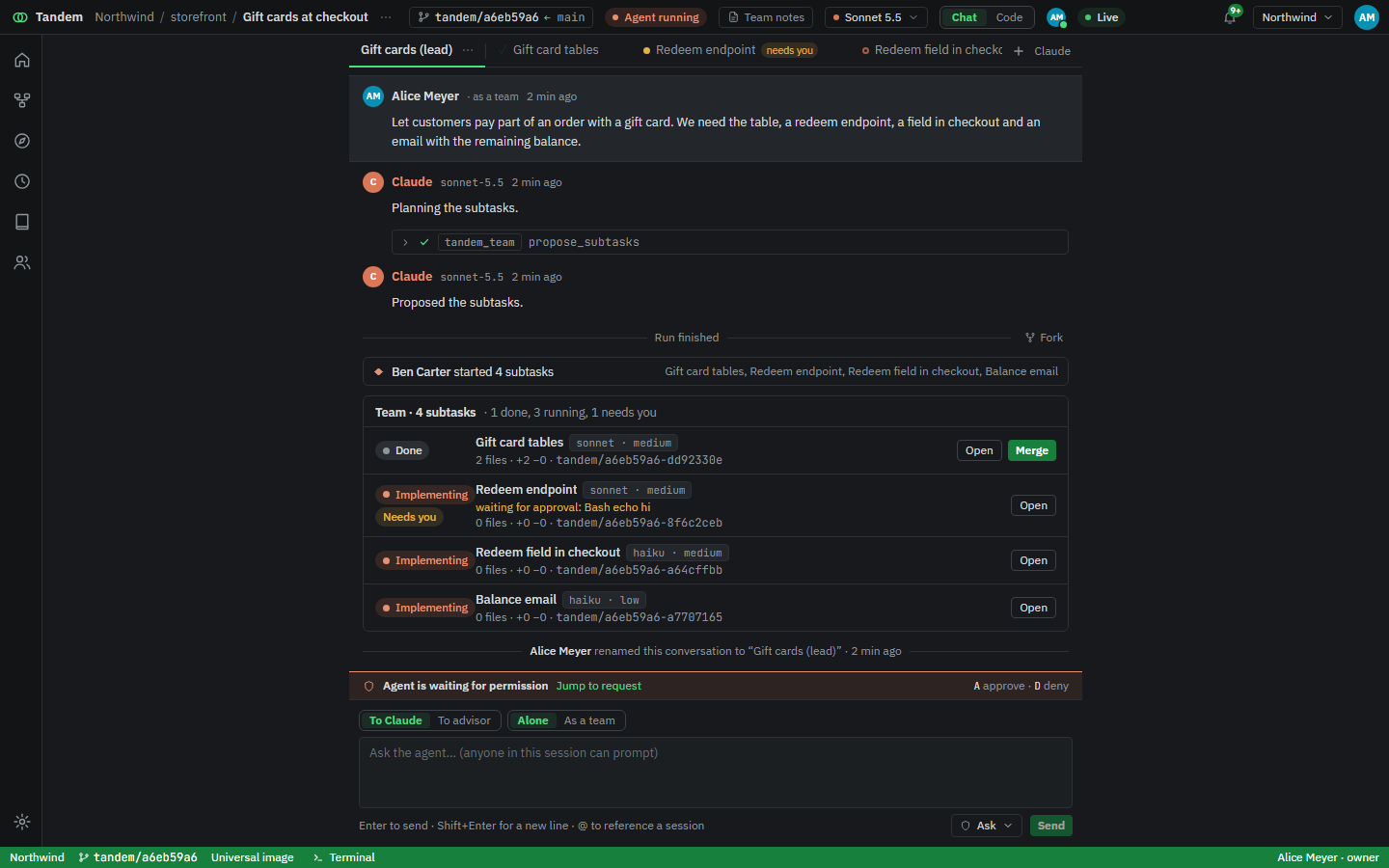
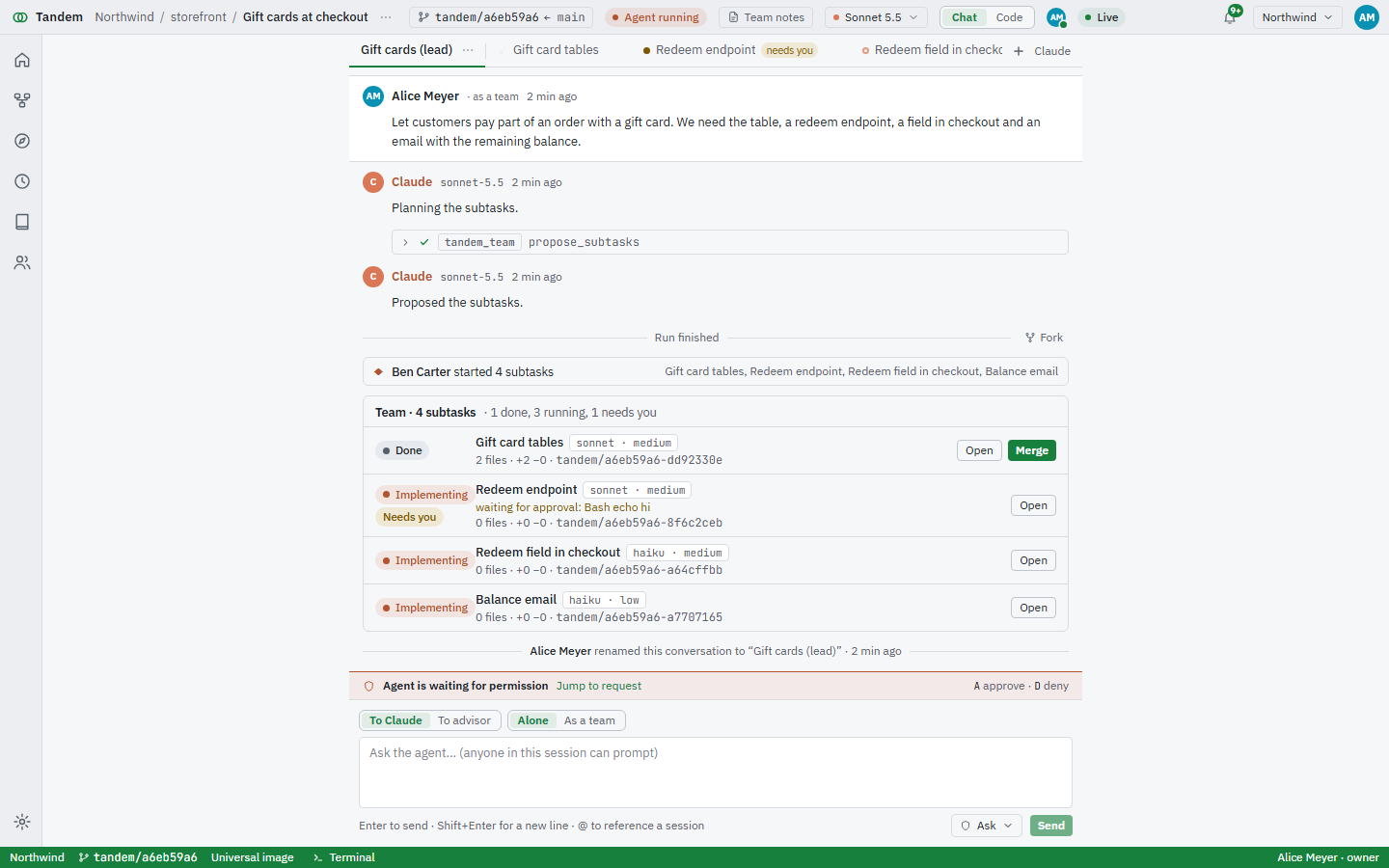
  • Overlapping files are flagged before anything starts.
  • Cards show who is running, who is done and who needs you.
  • Merge a finished subtask into the lead's branch with one click.
A team of four subtasks for gift cards: one done, one waiting for approval, two implementing. The team overview in the light theme.

Plans: from an idea to merged code

For work bigger than one session. Describe the idea; Tandem designs it with you, breaks it into tasks, builds them in parallel, checks each one and merges the result. You stay at the gates.

  1. 1Brief
  2. 2Design
  3. 3Architecture
  4. 4Build
  5. 5Done
Design

The designer asks first

It reads the repo and asks the questions that change the design, with a recommended answer for each. Anyone on the plan can answer.
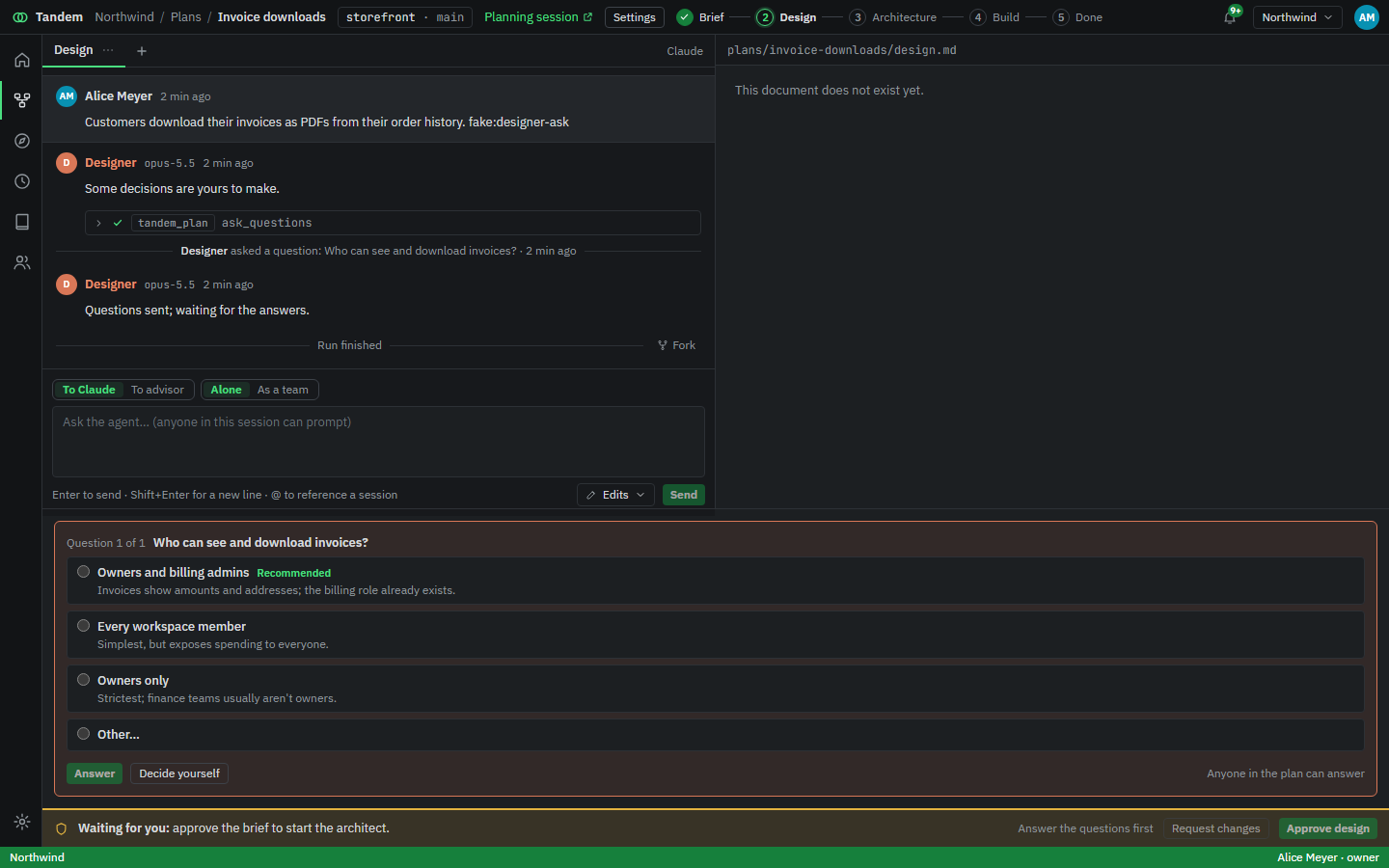
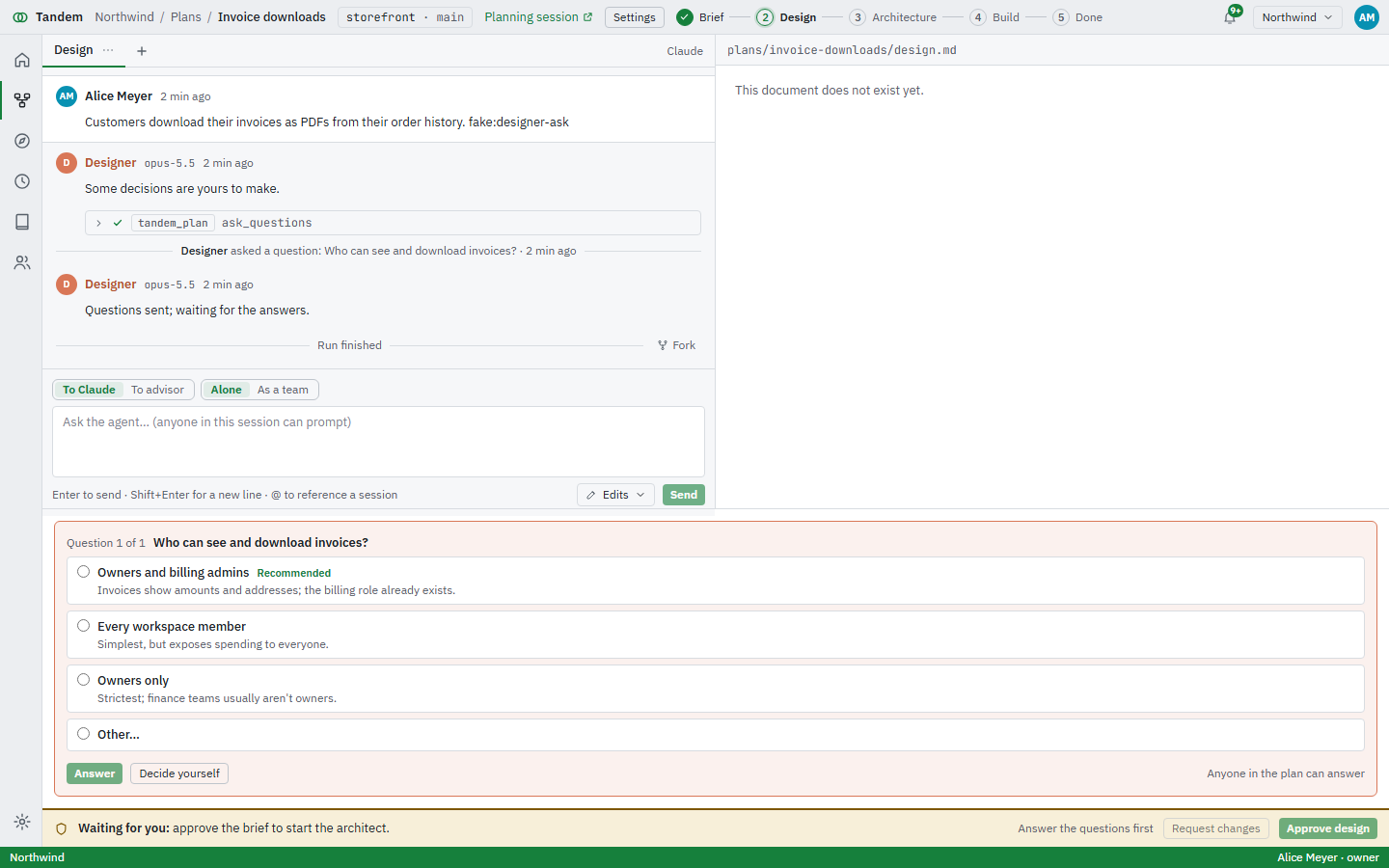
The designer asking who can see and download invoices, with three options. The designer's question in the light theme.
Architecture

A task graph you approve

The architect proposes tasks with their dependencies, a model for each and an estimate. Change any row, then approve to start building.
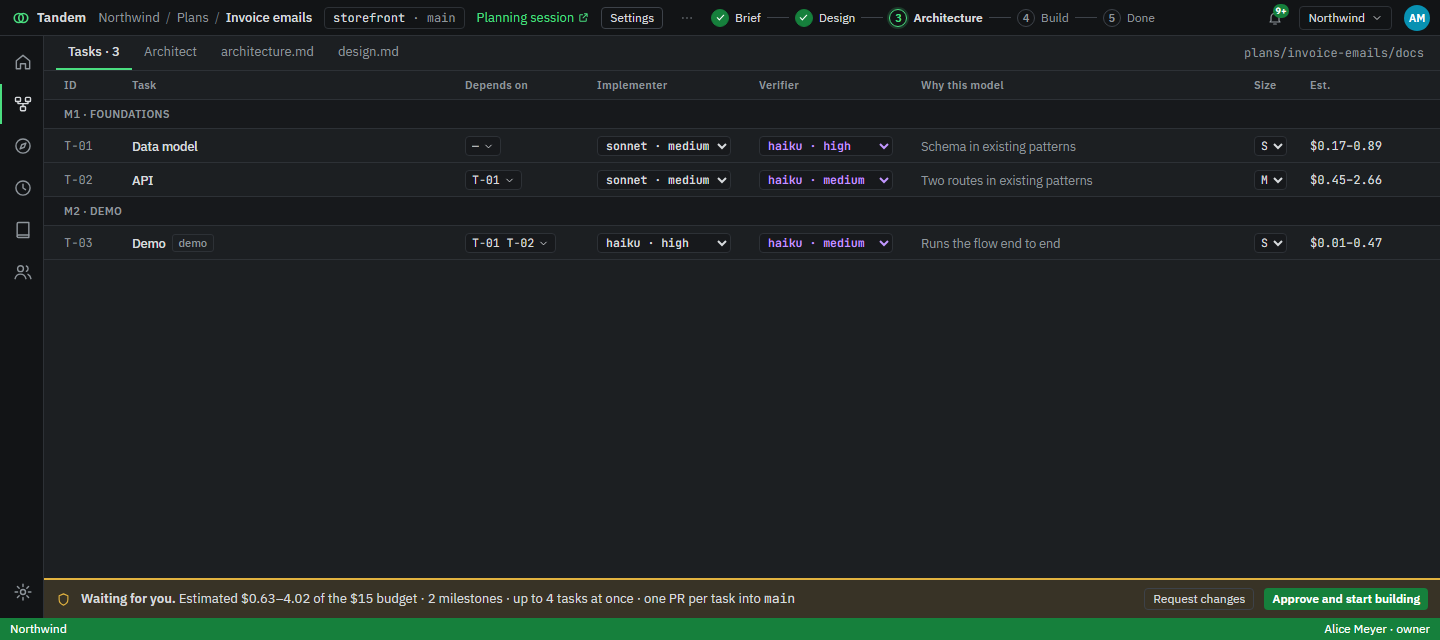
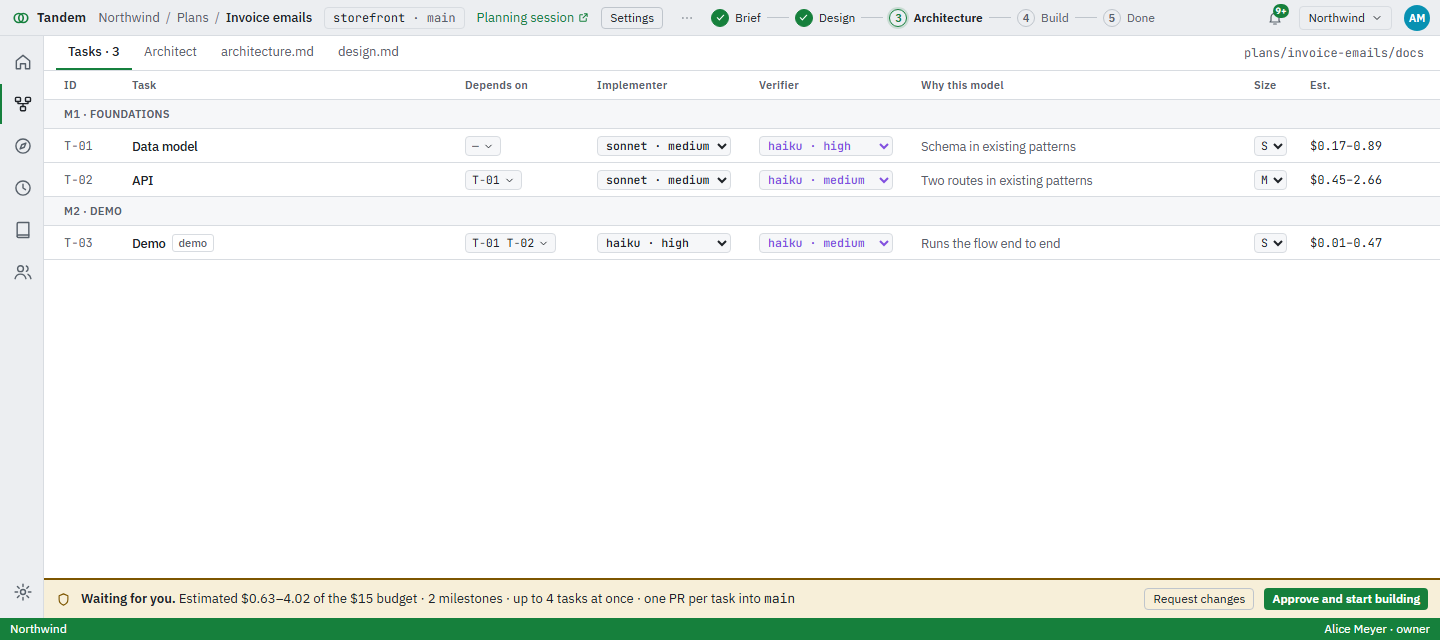
The architecture gate: three tasks with dependencies, implementer and verifier models, and cost estimates. The architecture gate in the light theme.
Build

Tasks run in parallel and merge in order

Ready tasks start by themselves, up to the limit you set. Finished ones wait in the merge queue, which rebases, runs your checks and pushes.

A plan mid-build: two tasks merged, two in the merge queue, one verifying, one blocked, and the budget meter. The build view in the light theme.
Verify

A second agent checks the work

Each task has acceptance criteria. A verifier reviews the result against them and reports evidence per criterion. If one is unmet, the task goes back for another round, and the cost is counted against the budget.
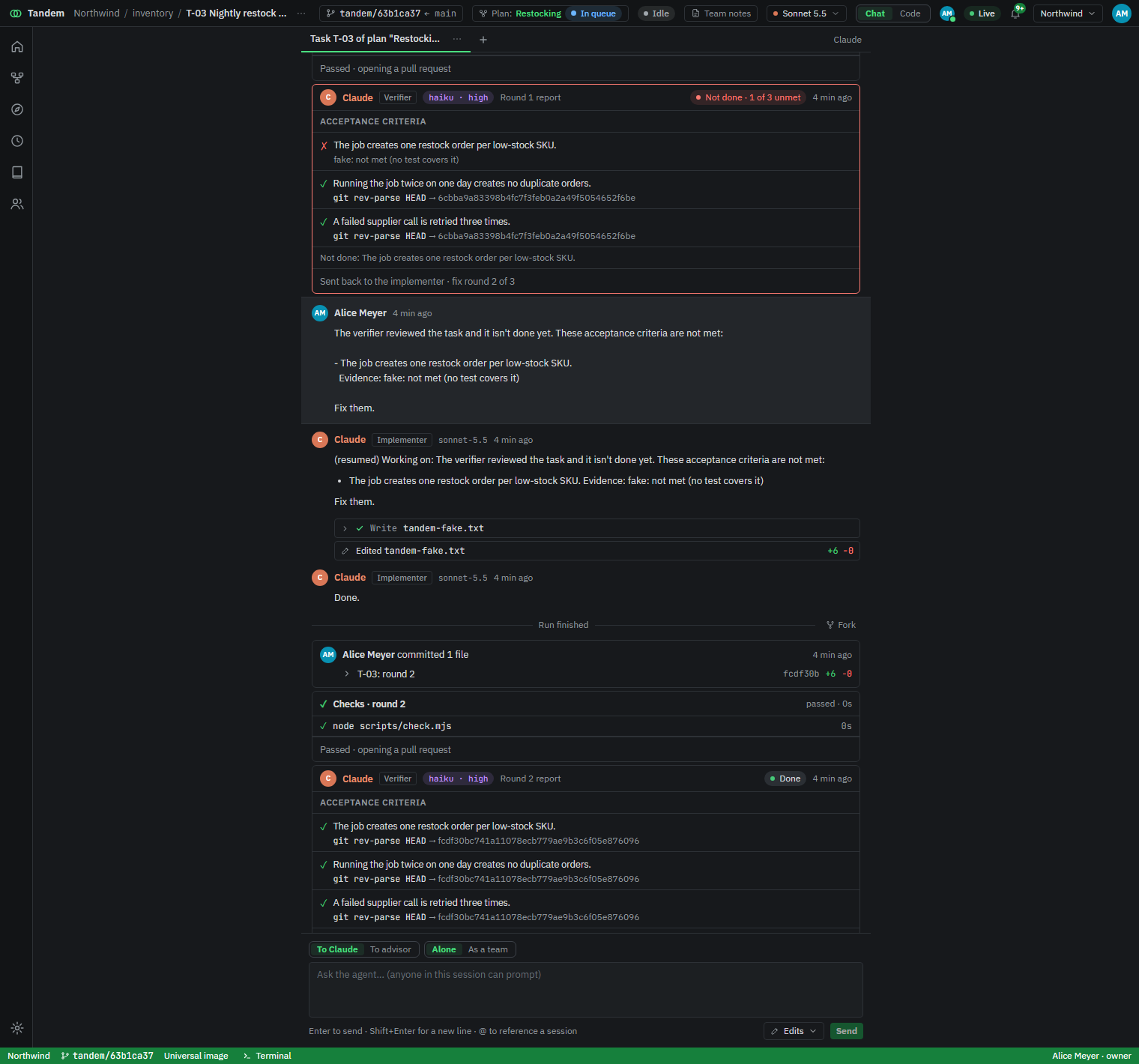
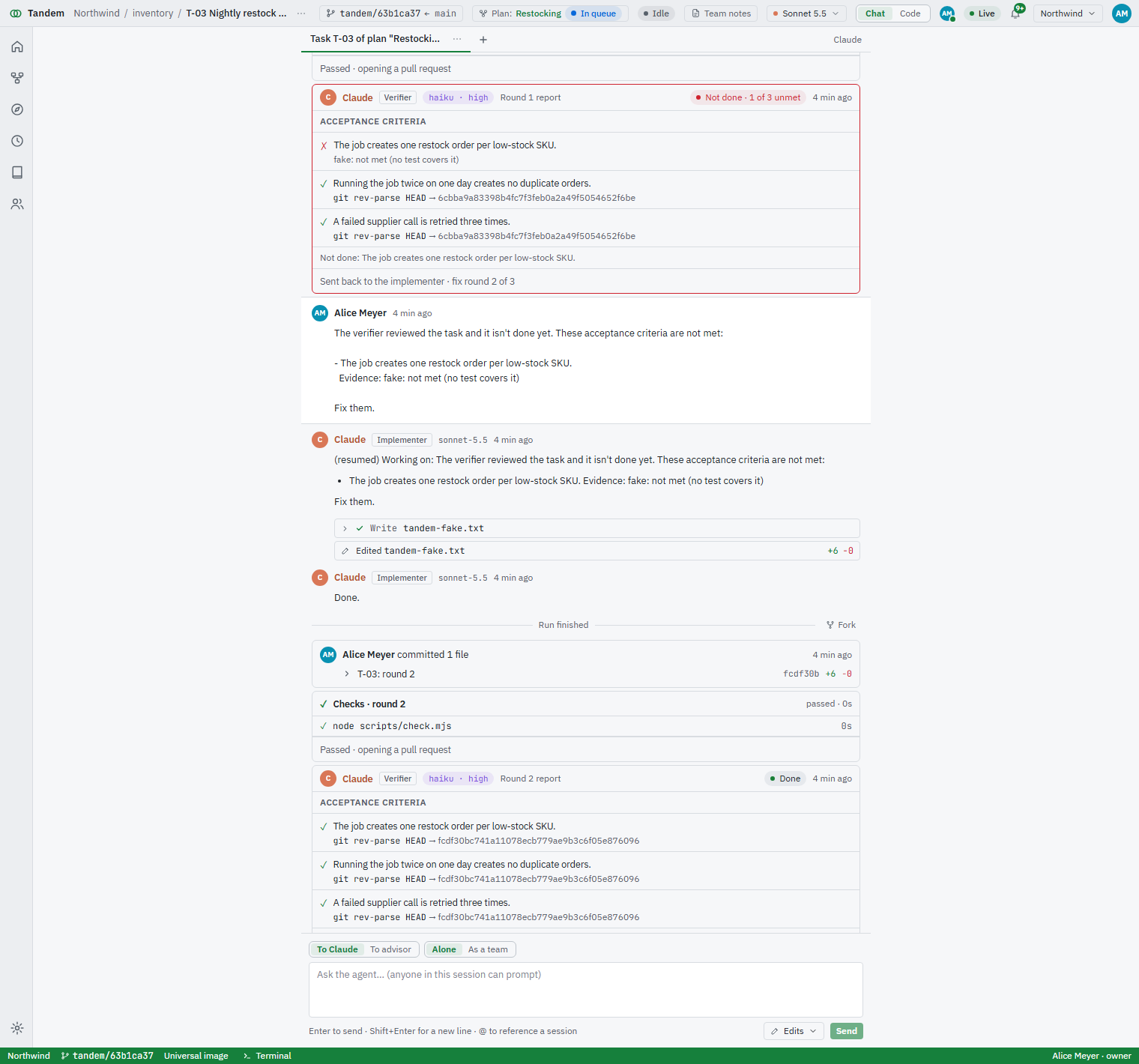
A verification report: three acceptance criteria, one unmet, sent back for a second round that passes. The verification report in the light theme.

Prompts on a schedule

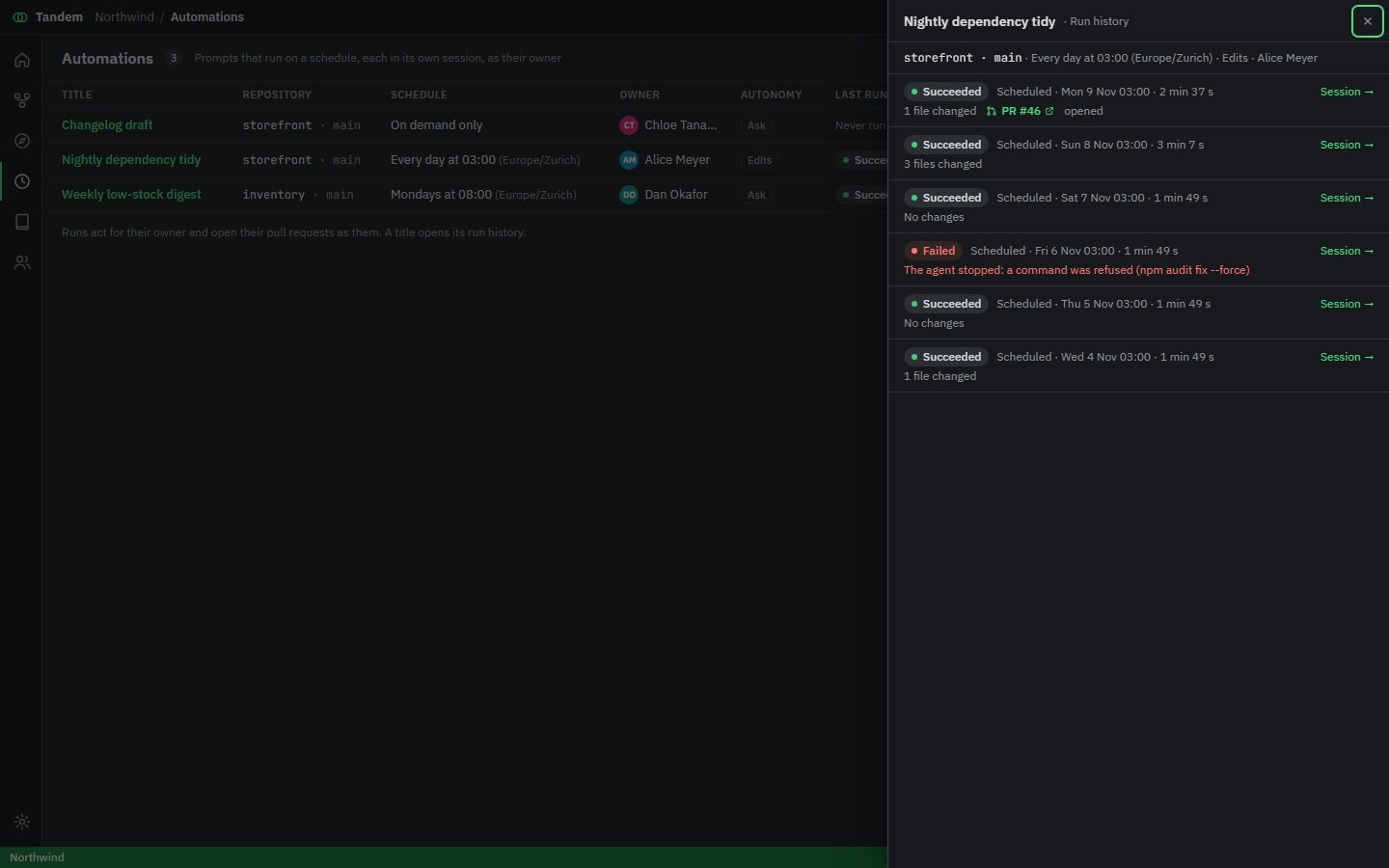
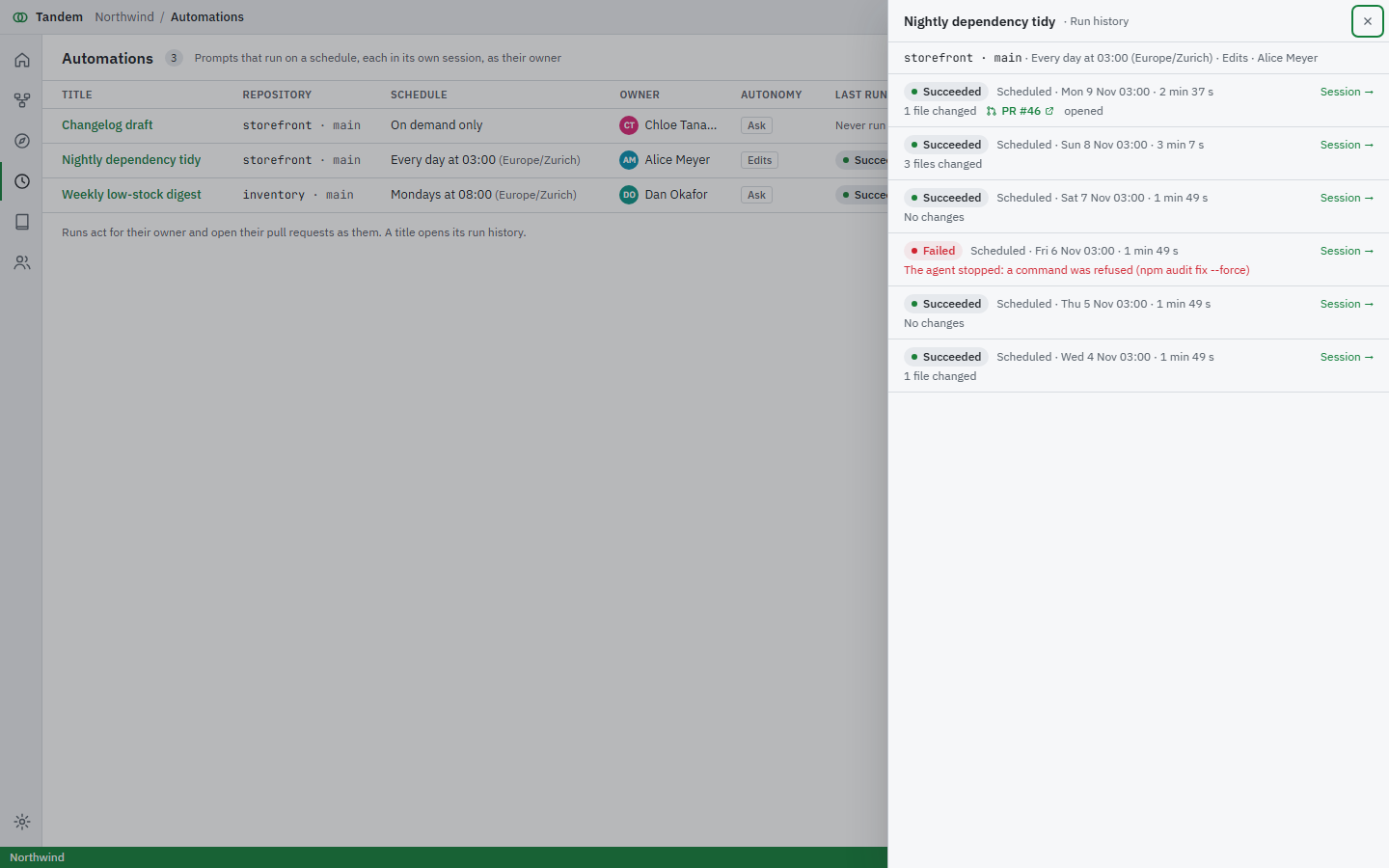
An automation runs a prompt on a repo every night, every Monday, or when you press a button. It runs as its owner, in its own session, and says so.
  • Changes go to a pull request, never straight onto the base branch.
  • Every run is kept: status, files changed, the pull request, the session.
  • A run still going skips the next one instead of piling up.
The automations list and the run history of a nightly dependency tidy, including a run that opened a pull request. The automations screen in the light theme.